
A little inspiration for your next story
A dragon, a penguin and an ice cream cart. This playful short is one example of the characters and worlds you can bring to life with Storygate.
Read the narration and scene descriptions
Scene 1. Pip the dragon joins Barnaby the penguin at an ice cream cart; a sneeze melts a cone. “On his very first morning, little dragon Pip sneezes a sudden fiery spark, instantly melting a triple scoop cone into sticky pink puddle.”
Scene 2. Barnaby cools Pip with ice packs, but a dragon hiccup toasts the marshmallow tray. “Wrapped in chilly ice packs to cool down, Pip hiccups another fiery blast, accidentally roasting raw marshmallows into glistening caramelized treats.”
Scene 3. The pair turn their discovery into toasted desserts for a crowd of customers. “Teaming up in sync, the duo scorches gourmet toasted crusts for an excited crowd, turning an embarrassing accident into a delicious triumph.”
Shape the scenes before they move
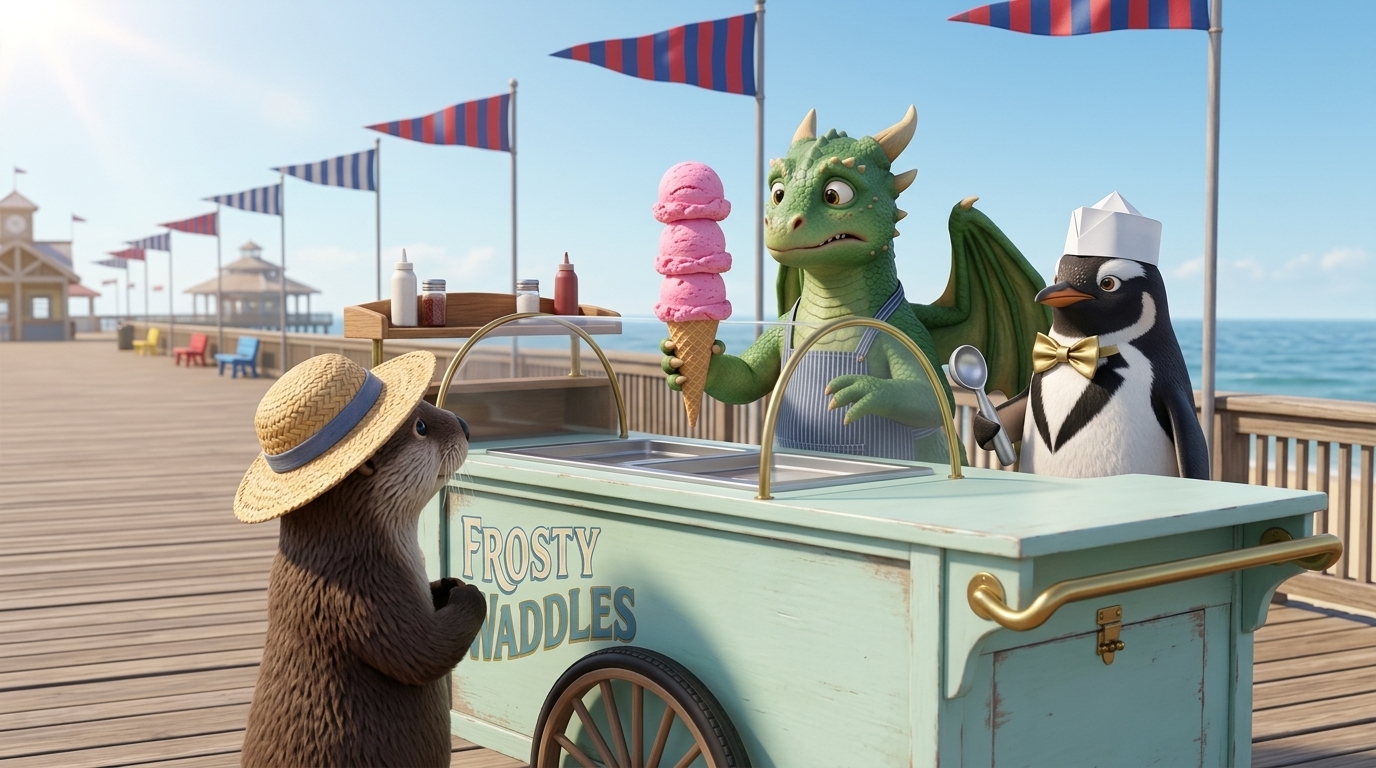
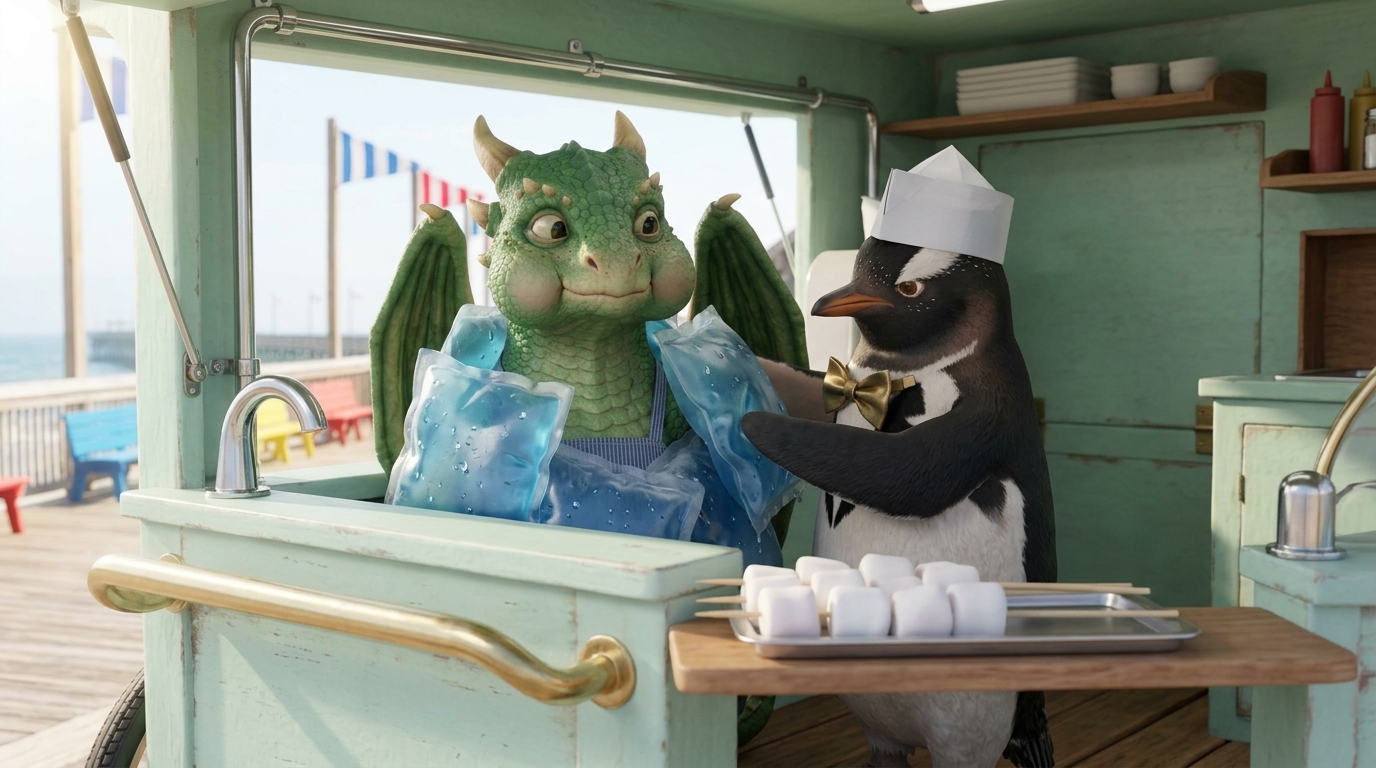
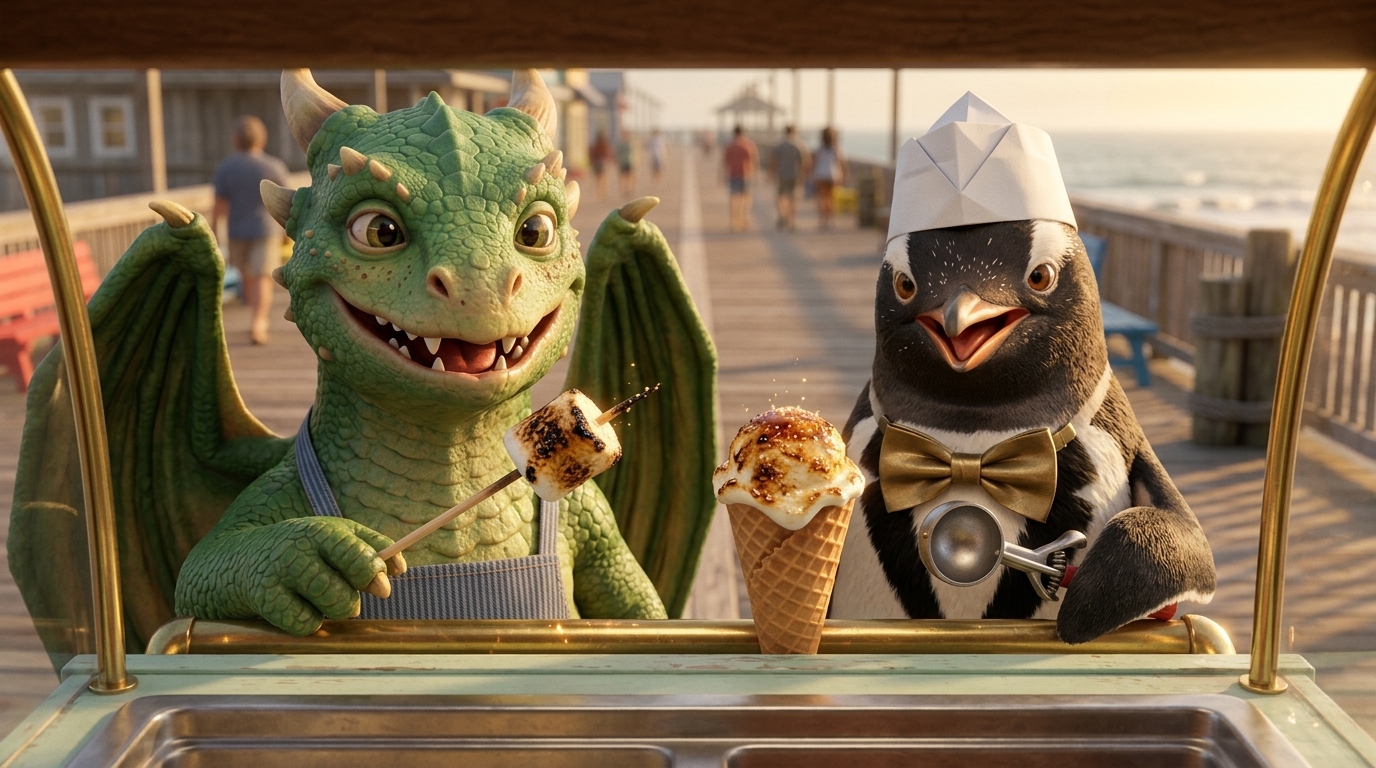
Build your cast, preview each composition and review the narration before generating video. Choose the frames that tell your story, then bring them to life.
You direct what happens next
Develop an original idea, refine the script and guide individual scenes. Keep the shots you like and regenerate the parts you want to change.
Explore the AI short film workflow or start a series with a returning cast.
From your first idea to a finished video
Bring your script, characters, narration or dialogue, music and supported captions together in one studio. Download the finished video and keep your source assets for the next edit.
Create narrated videos for your channel or follow the filmmaking guide.
The finished cut and its ingredients
Finish with a video you can share and source assets you can keep. Choose your music and subtitles in Final Cut, then download the MP4 and available subtitle files or asset ZIP.
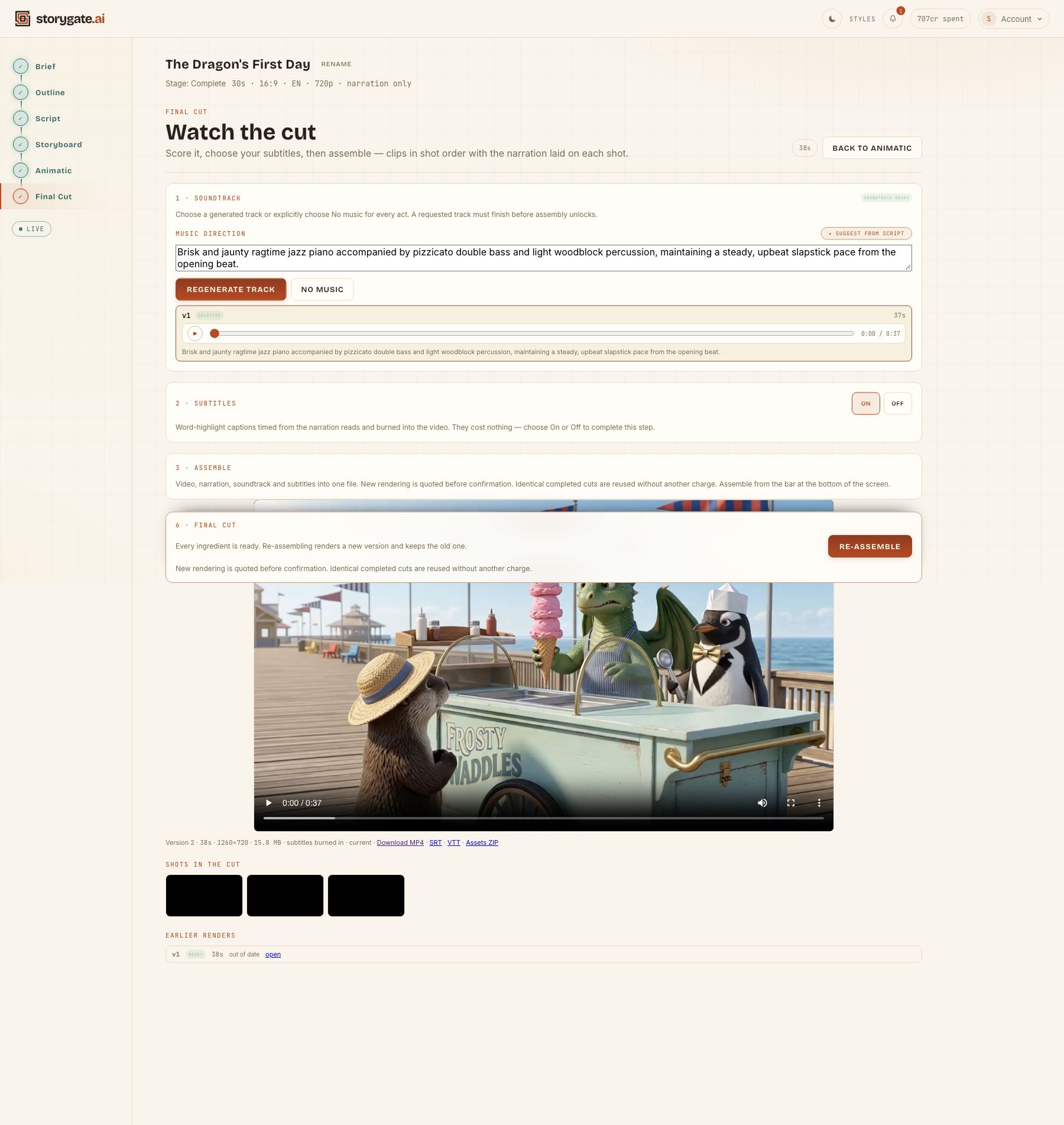
For your own film, the asset bundle is a way to keep the media for a later edit. Choose narration or dialogue when you set up your own story.
Make a short with your own story
Read the full step-by-step walkthrough or explore the AI short film generator. Start with a clear brief and review the outline before requesting footage. Your first outline and one AI revision are free. Script and media generation use a paid plan and credits. Review the itemized estimate before confirming each generation; another take uses additional credits.