Short films
A quiet moment. A dramatic exchange. A complete original story. Shape the script and direct it, shot by shot.
Explore the filmmaking workflow storygate.aiOpen the studio
 THE AI STORYTELLING STUDIO
Turn an idea into a short film, a narrated story, or the first episode of something bigger. Direct the scenes, choose narration or character dialogue, and finish with music, subtitles and a video you can export.
An outline and one revision, on us. Video generation uses paid credits.
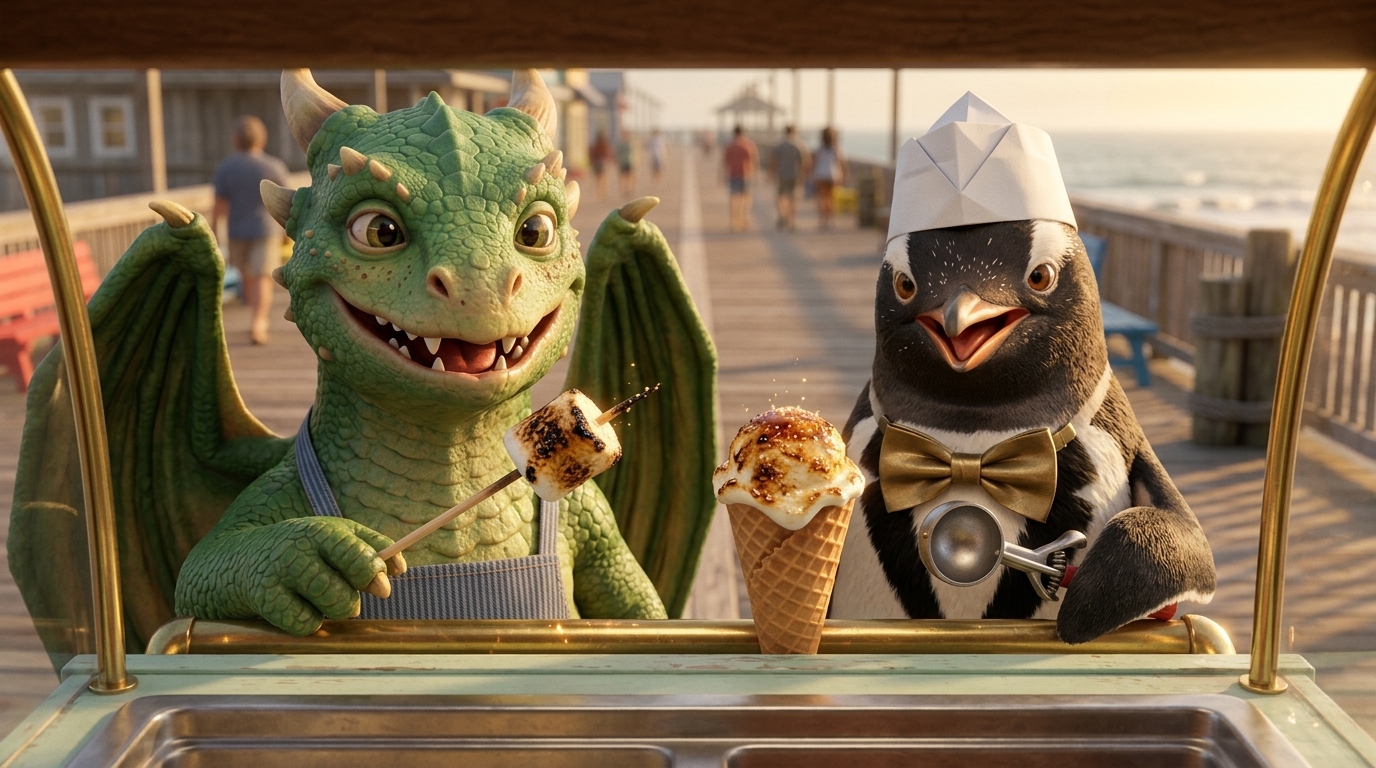
One tiny dragon.
One delicious disaster.
01 / FIND YOUR FORMAT
For the stories you want to tell once.
And the worlds you want to return to.
A quiet moment. A dramatic exchange. A complete original story. Shape the script and direct it, shot by shot.
Explore the filmmaking workflowKeep the cast. Continue the story. Reuse character references, voices and production direction for the next chapter.
Create your next episodeBring an explanation or a faceless YouTube story to life with narration, generated scenes and a finished export.
Explore faceless video creation02 / THE WORKSHOP
Review the outline before the script. Review the frames before the clips. Make decisions while they’re still easy to change.
Pip’s first day at Barnaby’s ice cream cart starts with a melted cone. An accidental marshmallow roast gives the pair a delicious new idea.
A fiery sneeze turns Pip’s first ice cream cone into a sticky pink puddle.
Barnaby tries ice packs. Pip’s next hiccup toasts the marshmallows instead.
The dragon and penguin serve their new toasted treats to an eager crowd.
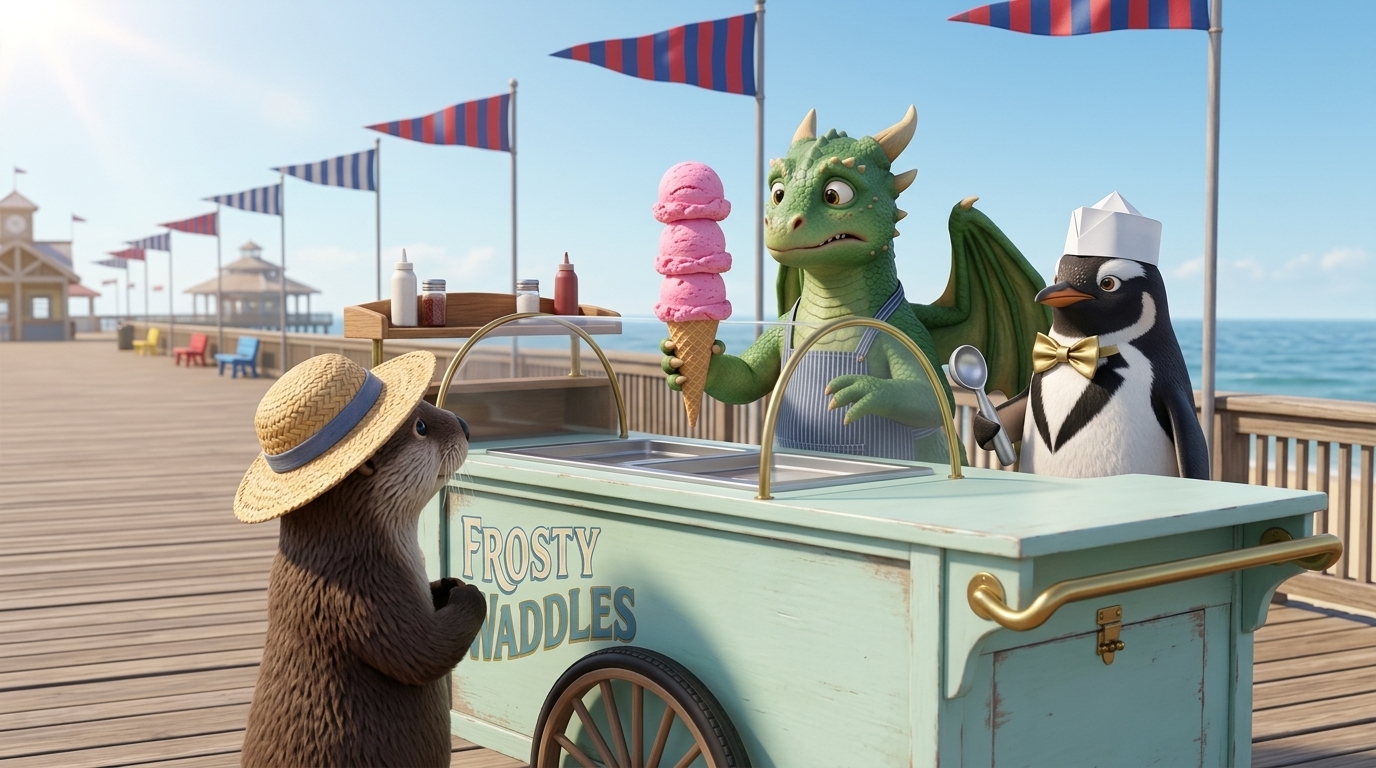
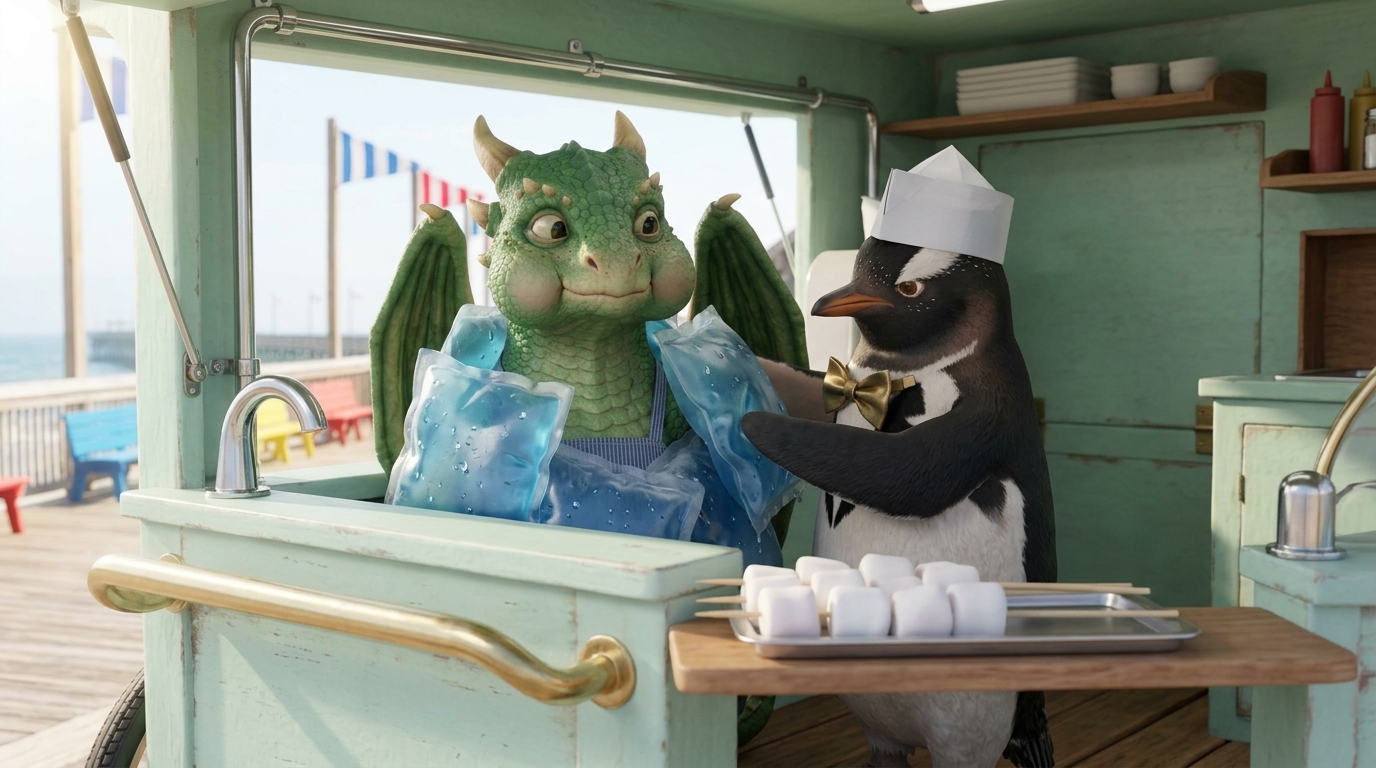
Preview your scenes and review the composition before bringing them to life.
THE FINAL CUT
Watch Pip and Barnaby’s story across three scenes, with English narration, music and captions.
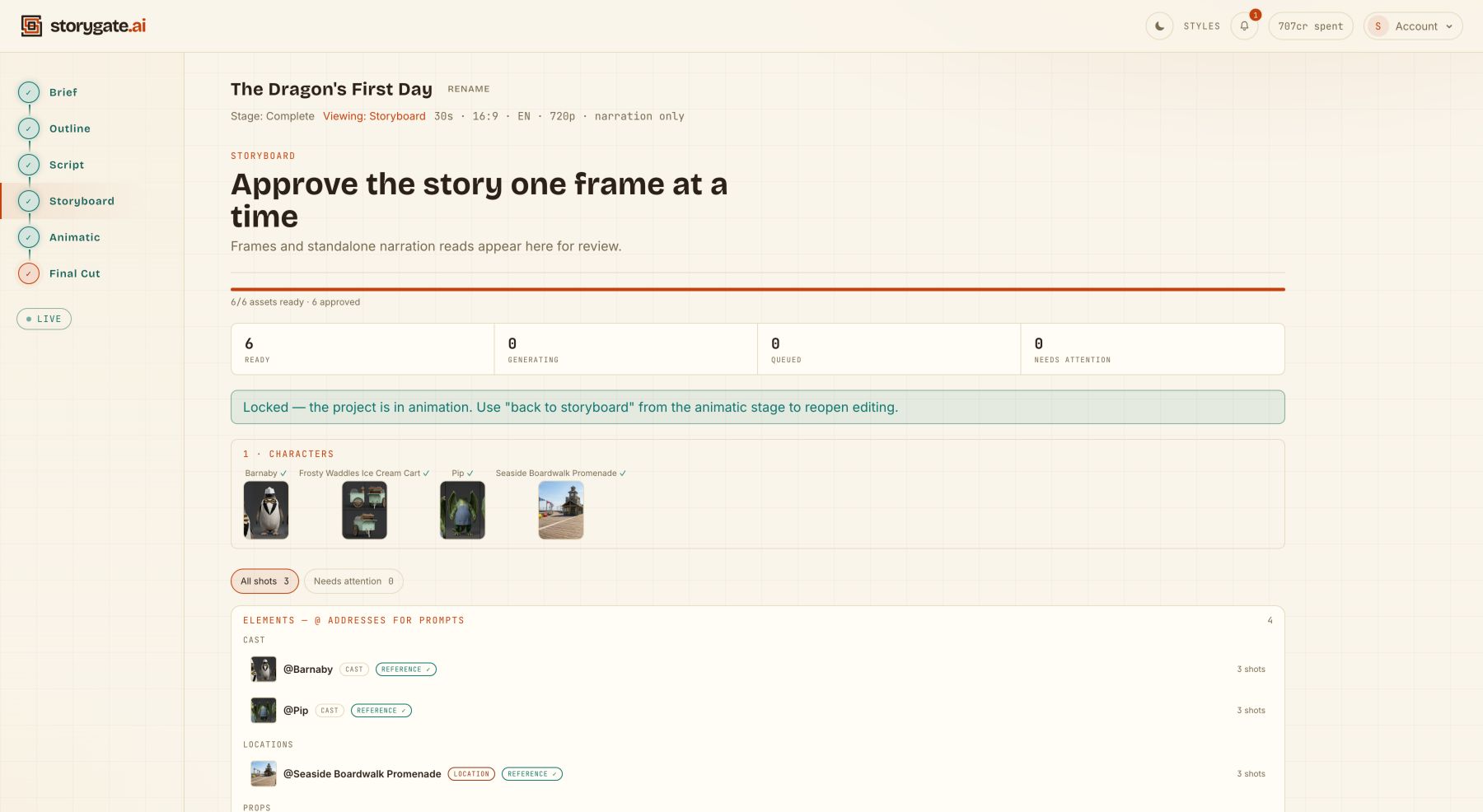
STORIES WITHOUT A LANGUAGE BARRIER
Create AI narrated videos in 22 languages, including Hindi, Nepali, Spanish, French and Arabic. Make a short story, an explainer or the next episode for the audience you know best.
Choose your language in the brief, review the script and voiceover, then bring the scenes together with music.
Explore all 22 narration languages →Character dialogue and automatic subtitles currently support English only.
03 / VOICE, SOUND & FINISHING
Direct what the audience hears as carefully as what they see.
Then bring the
ingredients together in one cut.
Create narration in 22 languages. Choose a narrator, shape the delivery and review each voiceover read before generating clips.
Explore narrated video →Write English character dialogue and generate on-camera speech using approved character images and voice samples.
Direct a dialogue scene →Reuse a series narrator or your cast’s approved voice samples across episodes. Review every performance for the delivery you want.
How voice consistency works →Describe the mood and instrumentation, get music-direction suggestions from the script, and choose a generated track—or no music—for each act.
Shape the soundtrack →Add word-highlight subtitles to supported English narrated cuts, with SRT and VTT files when generated. Dialogue cuts currently ship without automatic subtitles.
See subtitle support →Assemble approved clips in shot order with their narration or dialogue audio, selected music and supported subtitles. Review and download the finished MP4.
From approved shots to export →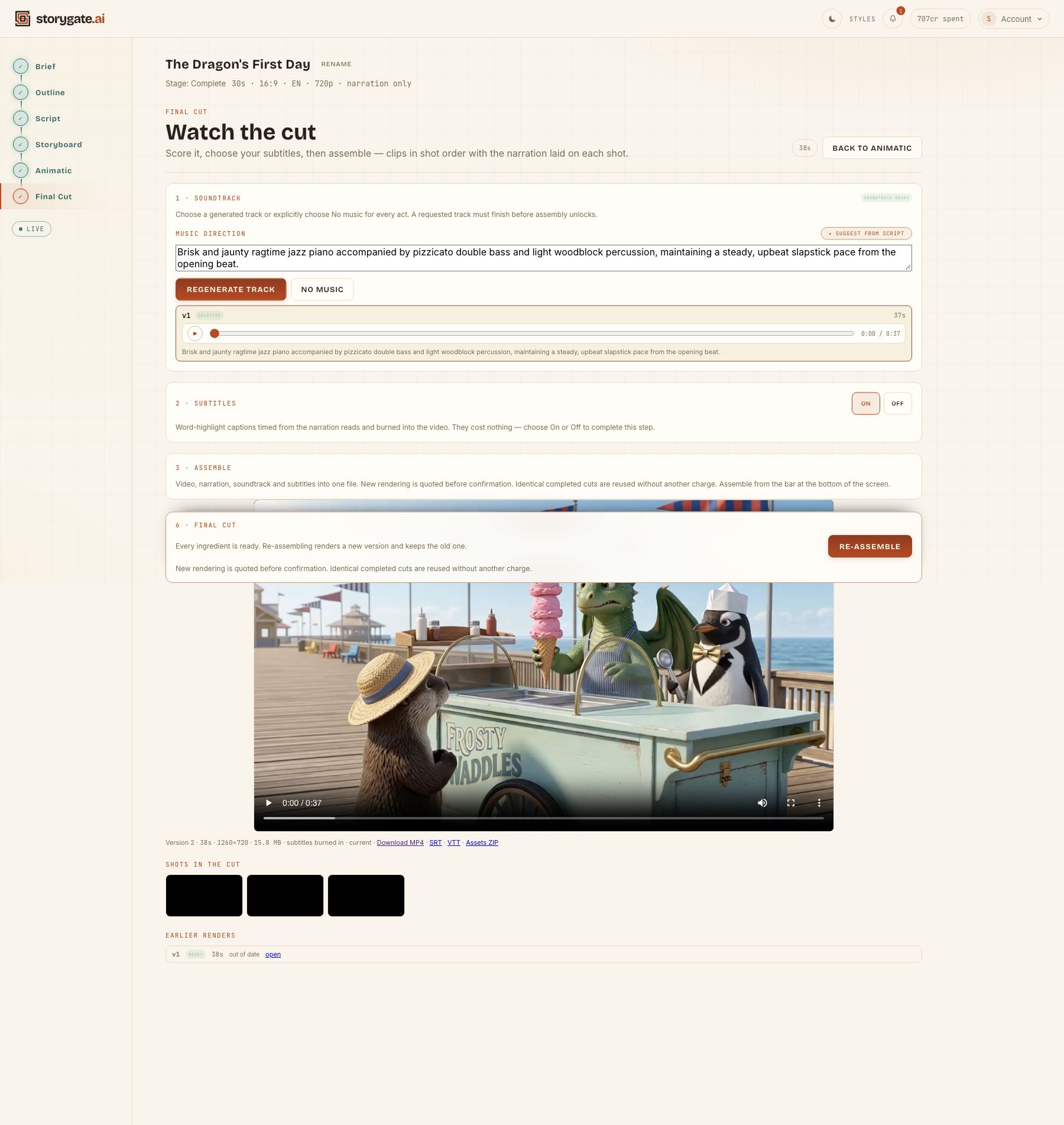
YOUR CUT. YOUR NEXT STEP.
The Assets ZIP organizes the cut’s clips and available frames, narration, music and subtitle files for further editing. Keep creating in your own editor with the media you’ve already made.
See what’s in the asset ZIP →Media files organized by shot, rather than an editable timeline project for another app.
04 / KEEP WHAT MAKES IT YOURS
Your story doesn’t need a fresh start every time. Build a cast and a visual direction you can carry into the next scene and the next episode.
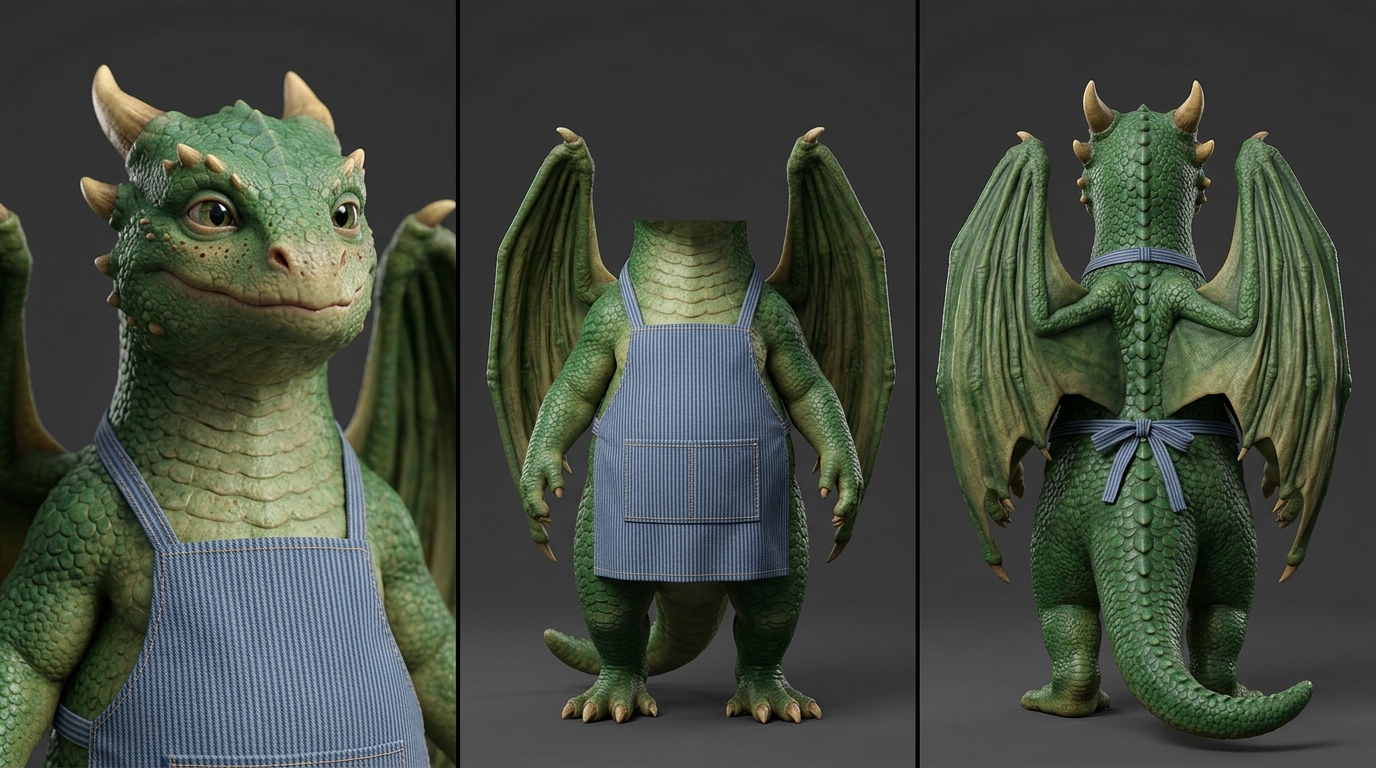
Reuse approved character references and voice samples across episodes.
Keep a shared style blueprint and production defaults for your series.
Refine dialogue, narration and individual shots. Regenerate the parts that need another take.
References help preserve continuity. Generated output still benefits from your review and direction.
ONE CAST. FIVE CHAPTERS.
Meet Biscuit, Mochi and the family in The New Baby, a five-part animated series made with Storygate.ai and published on Instagram and TikTok.
Create your own animated episodes with a returning cast, narration, music and scenes you can review.
Start your own story ↗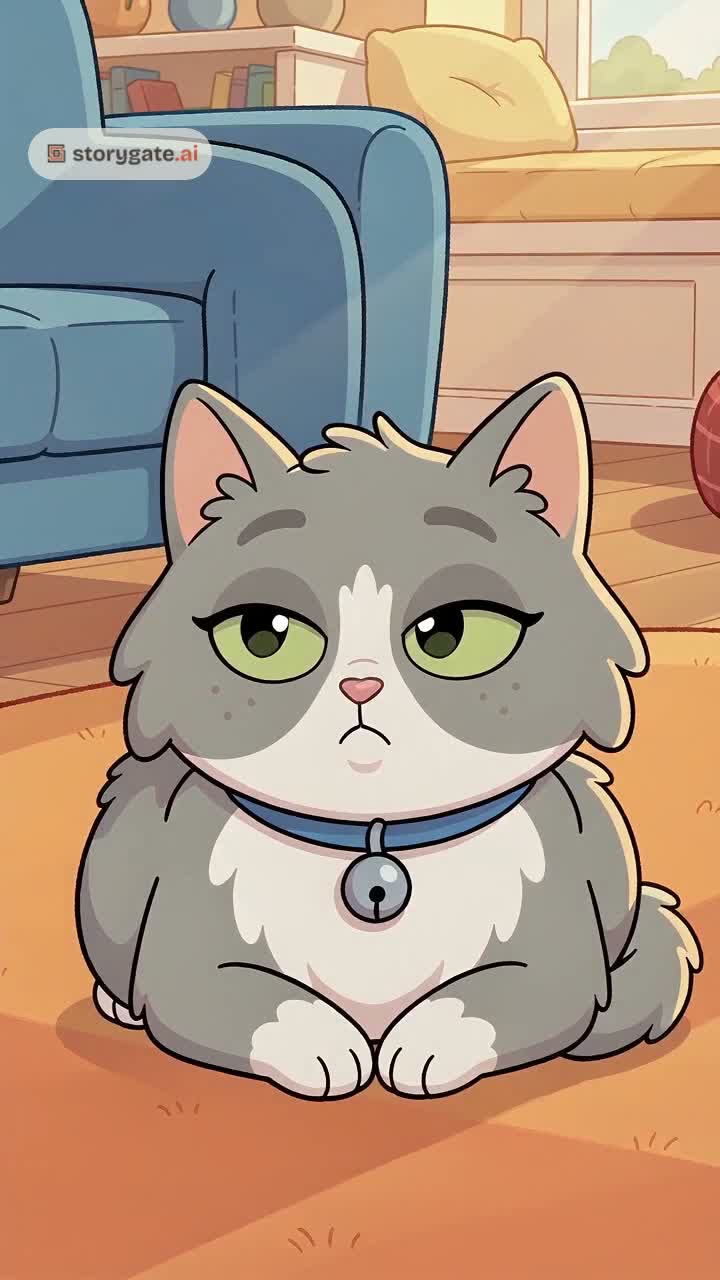 THE NEW BABY · 5 EPISODES · WATCH →
05 / MADE WITH STORYGATE
Meet Pip the dragon and Barnaby the penguin. A first-day ice cream disaster becomes a toasted-dessert invention in this playful animated short.
Bring your own idea to life with a cast, a script and scenes you can direct.
THE DRAGON’S FIRST DAY MADE WITH STORYGATE
Create your own storyOn his very first morning, little dragon Pip sneezes a sudden fiery spark, instantly melting a triple scoop cone into sticky pink puddle.
Wrapped in chilly ice packs to cool down, Pip hiccups another fiery blast, accidentally roasting raw marshmallows into glistening caramelized treats.
Teaming up in sync, the duo scorches gourmet toasted crusts for an excited crowd, turning an embarrassing accident into a delicious triumph.
06 / MAKE ROOM FOR YOUR NEXT STORY
Your first outline and one revision are free. Subscribe when you’re ready to turn the story into a film.
FREE
Give your idea its first shape.
One outline + one AI revision
STARTER
Try the full production workflow.
400 credits / month
CREATOR
More room to explore and revise.
1,000 credits / month
PRO
A larger budget for your next stories.
3,000 credits / month
Prices in USD, excluding tax. Paid plans renew monthly. Monthly credits expire at the end of the paid period. Generation costs vary by model, duration and retakes; review the estimate before confirming.
Compare plans and understand creditsA FEW THINGS TO KNOW
Short films, dialogue-driven scenes, narrated videos and recurring episodes. You can develop the story, review frames and clips, and assemble a final video.
Yes. Choose from 22 narration languages, including English, Hindi, Nepali, Spanish, French and Arabic. Select the content language in your brief and review each generated read for pronunciation and pacing. This creates a new narrated video; it does not automatically translate or dub an existing video. See the full language list. Character dialogue and automatic subtitles currently support English only.
Your first outline and one AI revision. Script writing, image generation and video generation require a paid plan and credits. You’ll see an estimate before confirming billable generation.
Yes. Series can reuse character references and approved voice samples, or save a narrator for narrated episodes. These help preserve continuity, while each generated performance still needs your review.
Completed cuts offer an Assets ZIP with clips and available frames, narration, selected music and generated subtitle files. You can also download the final MP4, plus SRT/VTT subtitles when available, from Final Cut.
English character dialogue is supported. Automatic word-highlight subtitles and SRT/VTT downloads currently apply to supported English narrated cuts; they are unavailable for cuts containing dialogue.
You export your finished video and publish it yourself. Storygate focuses on the story and production workflow.
Yes. You can review and regenerate individual assets and shots. Changes to earlier stages can require downstream assets to be updated, and new generation uses credits.
THE NEXT STORY IS YOURS
An outline first. A whole world of possibilities after.